Keep your team updated in real time. Use Slack and Discord nodes to notify sales channels when a qualified lead arrives, or notify support of urgent issues.
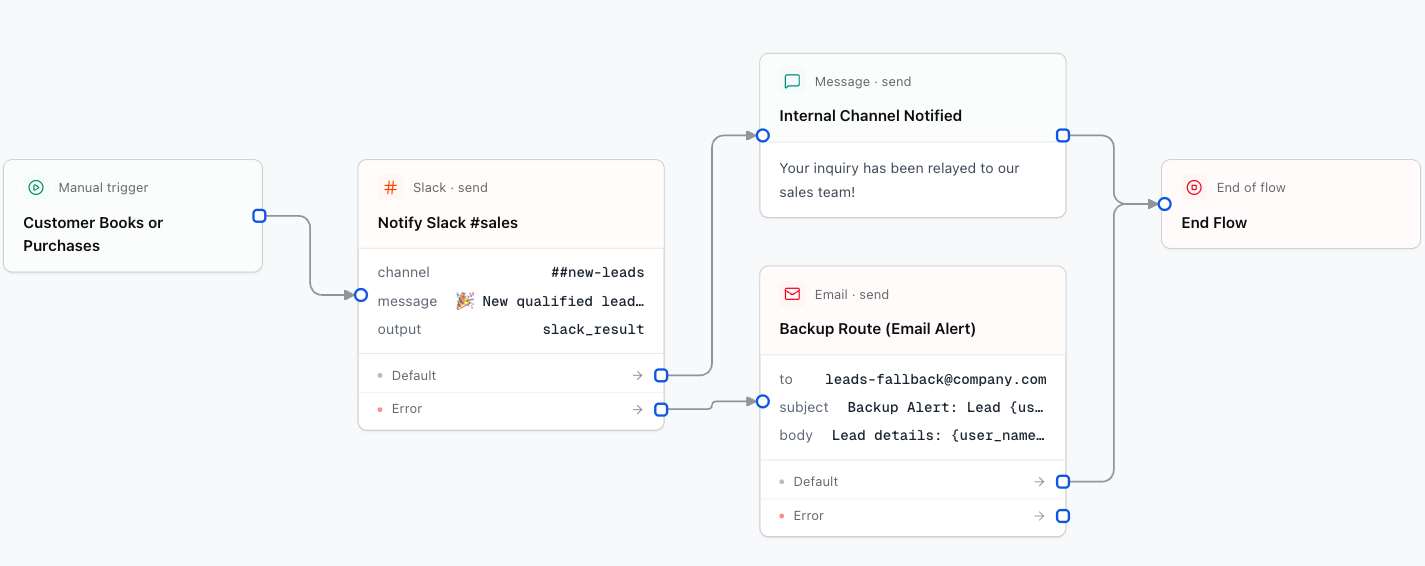
1. Slack Node
Sends a formatted message to any public or private Slack channel.
Designer Settings:
channelstringrequired
Channel name (e.g. #sales-leads) or internal channel ID.
textstringrequired
Message content. Supports {variables} and Slack markdown formatting:
🚀 *New Qualified Lead*
- Name: {user_name}
- Phone: {user_phone}
- Interest: {selected_plan}
thread_tsstringoptional
Thread timestamp to reply within an existing thread.
2. Discord Node
Sends notifications to Discord channels using a connected bot or a webhook URL.
Designer Settings:
channelIdstringoptional
Target Discord channel ID (when using Bot connection).
webhookUrlstringoptional
Discord incoming webhook URL fallback.
contentstringrequired
Message content to post.