Convoflow is a visual platform that allows you to build intelligent assistants and conversational workflows quickly and easily. With Convoflow, you can engage with your customers across channels like WhatsApp, Webchat, and Email, while seamlessly connecting your everyday tools like Google Sheets, Calendar, and Docs without technical headaches.
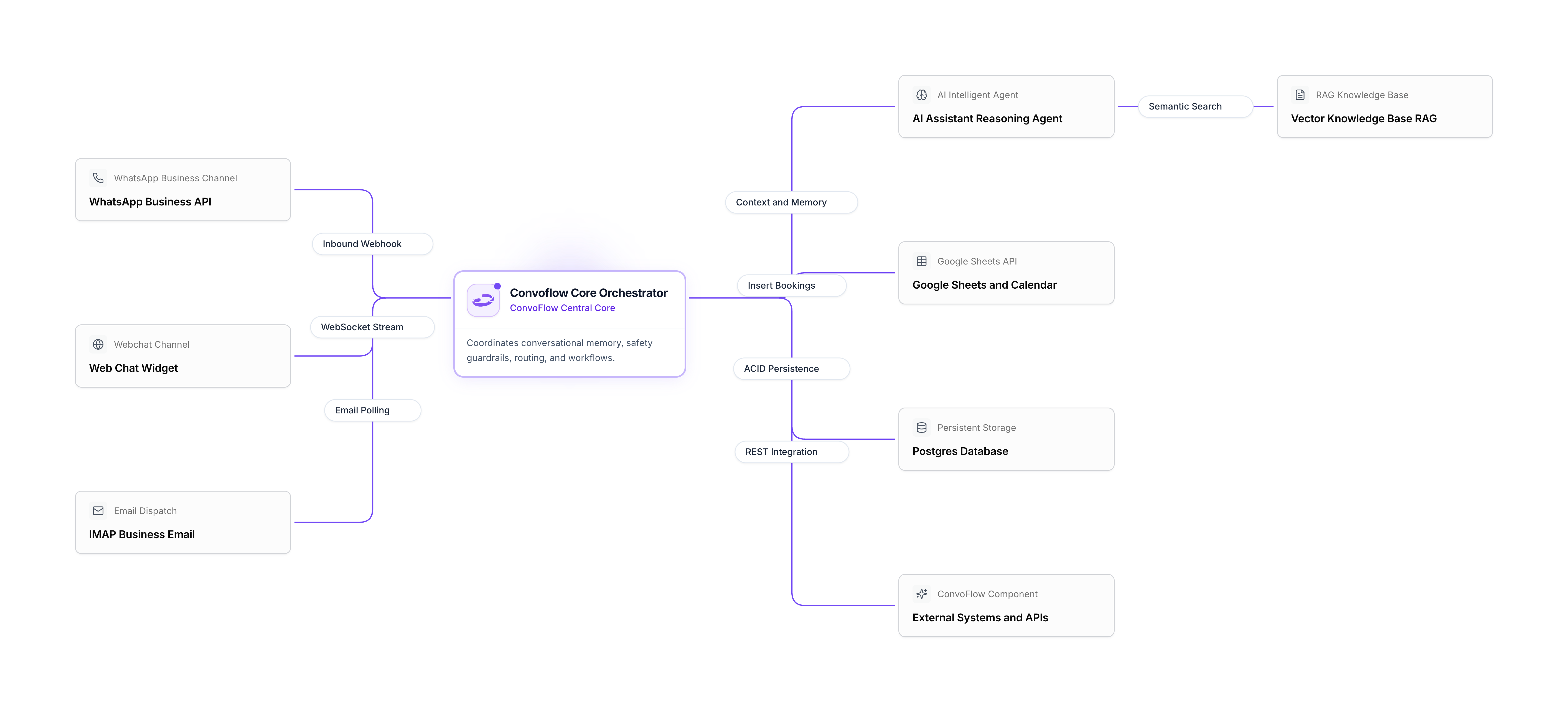
Documentation Sections
The documentation is organized into three main areas to guide you step by step:
Learn core concepts and create your first automated customer workflow in just 5 minutes.
Explore the visual blocks you can drag into your flow: Google, WhatsApp, Email, and AI.
Securely connect your Google accounts, WhatsApp numbers, email servers, and AI providers.
Popular Google Integrations
Convoflow connects directly with your Google Workspace tools to automate daily tasks:
Save new leads, look up inventory, and update spreadsheet rows in real time.
Generate personalized contracts and proposals by automatically filling in document templates.
Check availability and schedule appointments automatically with Google Meet links included.
How does a flow work in Convoflow?
Creating an automation in Convoflow is like assembling a visual diagram:
- Entry trigger: A user sends a WhatsApp message or visits your web chat.
- Questions and answers: The flow requests the necessary data (such as name, phone, or service of interest).
- Automatic actions: The assistant saves the information in Google Sheets, checks free dates in Calendar, or consults internal documents.
- Personalized reply: The user receives a clear, immediate answer on their preferred channel.
Resources for Language Models (LLMs)
If you are using AI coding assistants or LLMs, you can access the standard text specification:
- llms.txt (Full Documentation) — Unified plain-text specification of the entire Convoflow platform.