The Email Node lets you send emails automatically from any step in your flow. Use it to confirm purchases, notify your team about a new lead, or send PDF receipts to customers.
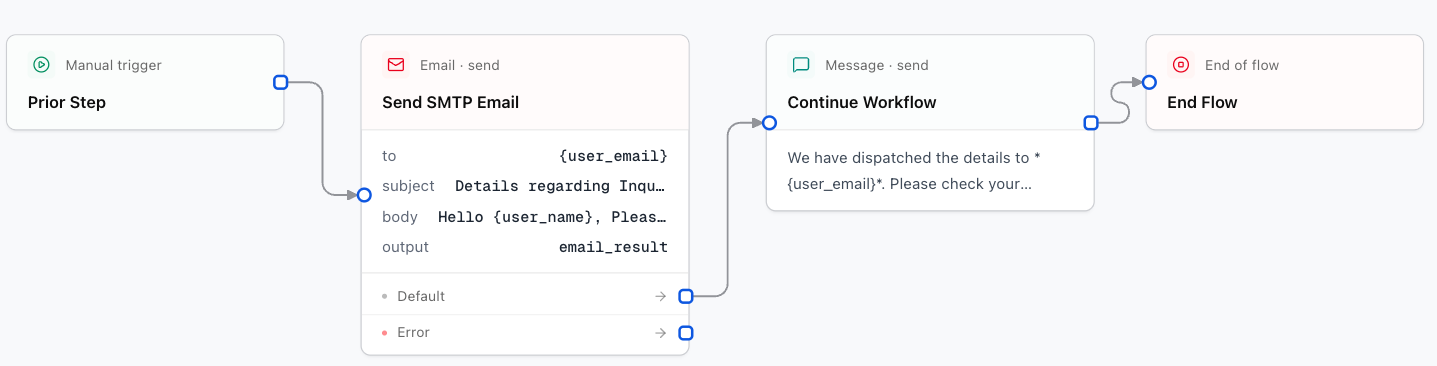
Configuration Fields
Your email account or SMTP server registered under Connections.
Recipient email address. Use a fixed address or the variable where you stored the customer's email: {user_email}.
Email subject line. You can personalize it with variables such as: Appointment confirmation - {user_name}.
Message content. It can be plain text or a formatted template. Variables such as {customer_name} or {service} are supported.
Display name and address used as the sender (e.g. Convoflow Team <contact@yourcompany.com>).
Files to attach to the email:
[
  {
    "filename": "summary.pdf",
    "path": "https://yourserver.com/files/summary.pdf"
  }
]
Personalized Message Example
You can write the email body in plain language:
Hi {user_name},

Your registration for {service_name} has been confirmed.

Date: {appointment_date}
Time: {appointment_time}

If you have any questions, reply directly to this email.